Say it once.
It’s on your list.
VoiceTask turns what you say into tasks, reminders and notes. You watch them appear while you’re still talking.
Free to start. iPhone, iPad and Android. 40 languages.
Call the dentist Tuesday at nine, buy milk on the way home, and send Anna the deck by Friday, actually, Thursday.
3 new tasks
- Call the dentistTue · 09:00
- Buy milkToday
- Send Anna the deckThu
Talk the way you think.
It keeps up.
One breath, many tasks
It splits what you say into separate tasks and fills in dates, reminders, repeats and priorities.
Say “actually” to fix it
Change your mind mid-sentence and the card changes with you. Say “that’s all” when you’re done.
Nothing saved until you say so
Everything stays a draft until you tap Add, and anything can be undone afterwards.
Your day, already sorted.
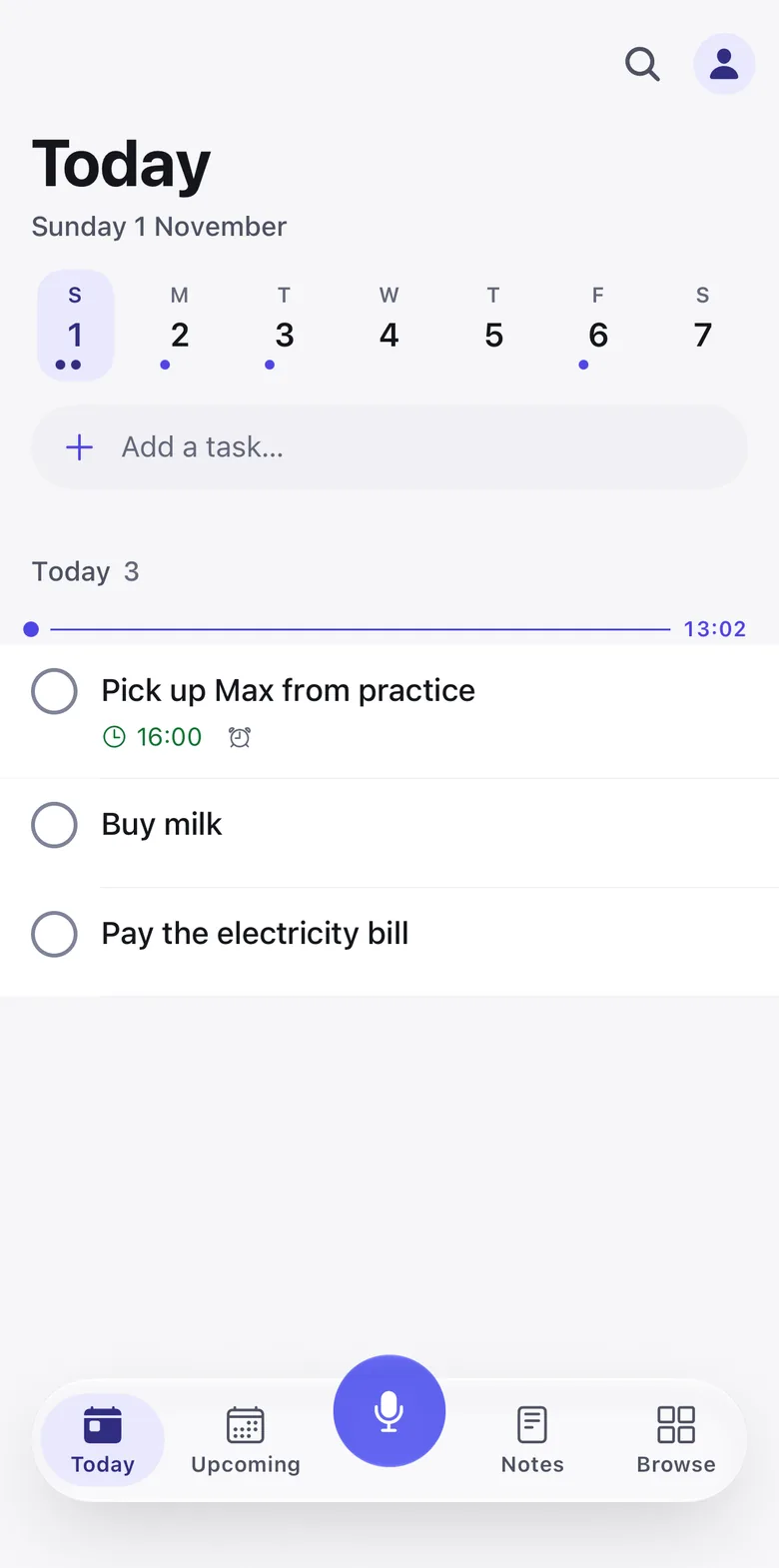
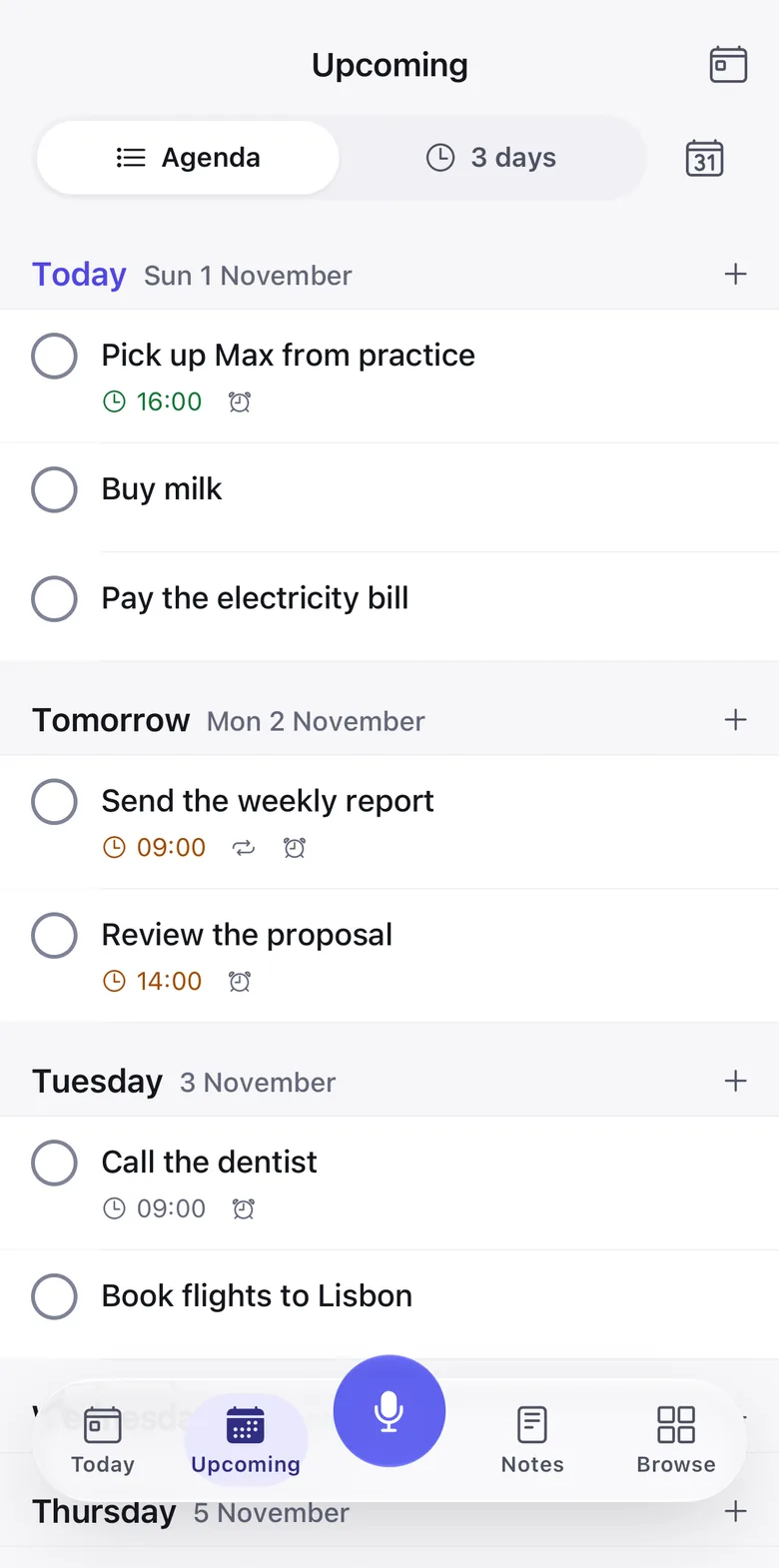
Today shows what’s overdue, what you just captured and what’s due. Upcoming plans the next two weeks, with a timeline for blocking out your time. Projects, subtasks and repeating tasks are there when you need them.
Think out loud. Keep what matters.
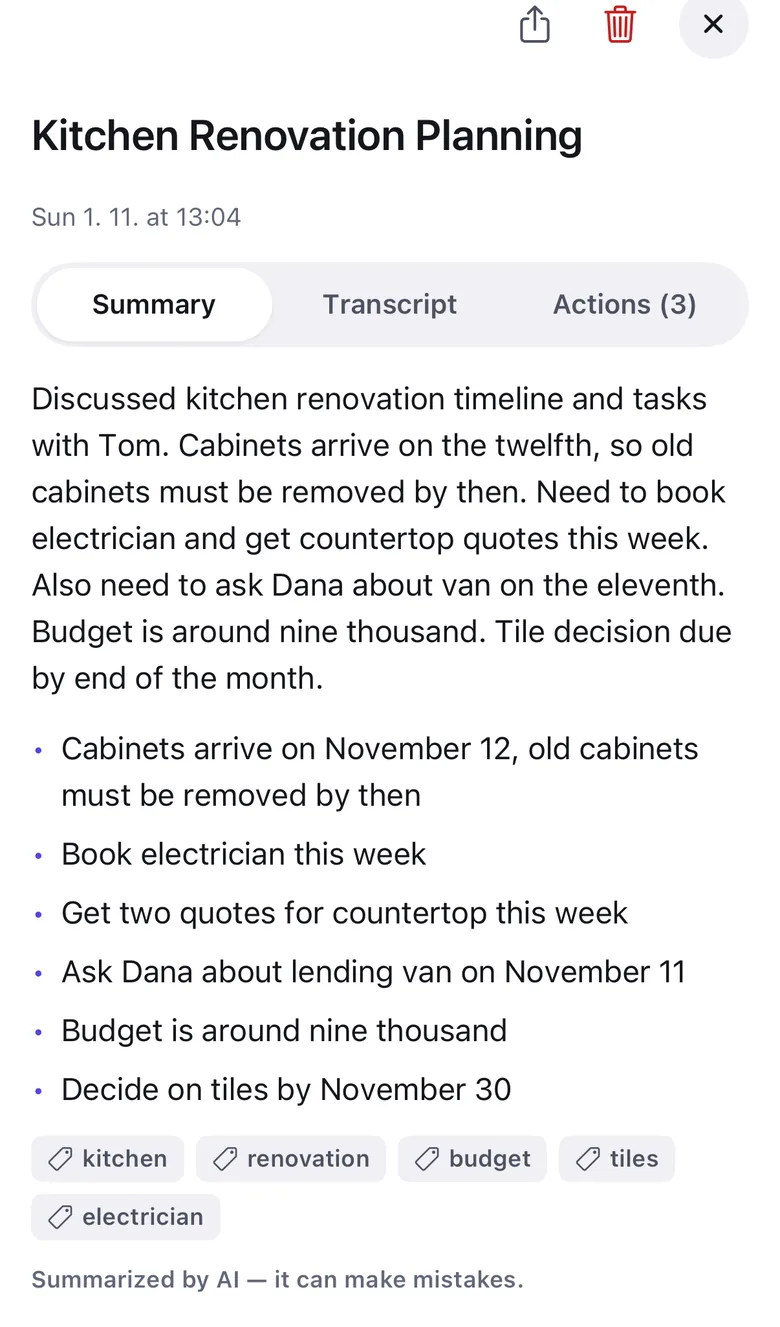
Record a thought, a meeting or a brain dump. VoiceTask writes the transcript, a title and a short summary, and pulls out the action items so you can add them as tasks in one tap.
“Just talked to Tom about the kitchen. The cabinets arrive on the twelfth, so the old ones have to be out by then…”
Ready wherever you are.
Start talking from outside the app. On tablets and foldables, your list stays put and the task opens beside it.
- App icon
- Long-press to speak, record a note or type.
- Siri and Shortcuts
- “Hey Siri, capture with VoiceTask”, or the Action button on iPhone.
- Quick Settings
- On Android, tap the tile from any app.
- Home screen widget
- On Android, speak, note or type in one tap.

Speak the language you think in.
English Español Português Deutsch Français Italiano Čeština Polski Русский Українська हिन्दी বাংলা العربية עברית فارسی Türkçe 日本語 한국어 简体中文 繁體中文 Tiếng Việt ไทย Bahasa Indonesia Bahasa Melayu Filipino Nederlands Svenska Dansk Norsk Suomi Eesti Lietuvių Ελληνικά Magyar Română Български Српски Hrvatski Slovenčina Slovenščina
Your words stay yours.
- You’re asked first
- Before anything is sent, VoiceTask shows what is shared and names who processes it: Soniox for speech, OpenAI to understand it.
- Never sold, never used to train AI
- Voice audio is discarded after transcription. You can withdraw consent or delete everything at any time.
- A bad connection doesn’t lose your words
- If it drops mid-capture, the recording is saved on your phone and becomes a note when you’re back online.
Free to start.
Pro if you talk a lot.
Free
$0
No card needed.
- 10 voice captures a week, back every Monday
- Unlimited typing
- 3 projects
- Reminders, calendar sync, notes and summaries
Pro
$49.99 a year
Or $9.99 a month. 7 days free.
- Unlimited voice captures
- Unlimited projects
- Everything in Free
US prices. Your store shows the price for your country. Cancel anytime in your store account.
Common questions
Can one sentence become several tasks?
Yes. Say “Call the dentist Tuesday at nine, buy milk on the way home and send Anna the deck by Friday” and you get three tasks with the right dates. Change your mind mid-sentence and say “actually, Thursday”. Everything stays a draft until you tap Add.
Is VoiceTask free?
Yes. The free plan includes 10 voice captures every week, unlimited typing, 3 projects, reminders, calendar sync, notes and summaries. VoiceTask Pro makes voice captures and projects unlimited, for $9.99 a month or $49.99 a year in the US, with 7 days free.
Which languages does it understand?
40, including English, Español, Português, Deutsch, Français, हिन्दी, 日本語, العربية, Русский, Polski and Čeština. The app itself is translated into all of them too.
What happens to my voice?
The first time you use a voice feature, VoiceTask shows what is shared and asks for your consent. Your voice goes to Soniox for transcription and the text to OpenAI to turn it into tasks. Voice audio is discarded after transcription, and nothing is sold or used to train AI models. Details are in the privacy policy.
Does it work offline?
Your list does, including reminders. Understanding speech needs a connection, but if it drops mid-capture the recording is saved on your phone and becomes a note, with its transcript, once you’re back online.
Does it sync with my calendar?
If you want it to. You can turn on sync with the calendars on your phone in Settings. If you sign in, your tasks and notes also follow you to a new phone.
Is it an alternative to Todoist Ramble?
If voice is how you want to capture everything, yes. VoiceTask is built around talking rather than adding voice to a typed list, and it includes voice notes with summaries, corrections by voice, reminders and 40 languages on the free plan.
Say it once.
It’s on your list.
Free on iPhone, iPad and Android.